

Shipping takes place within 3-5 business days. If there is a problem with the shipment of the product, we will notify you via the email address you entered when ordering.
intpw
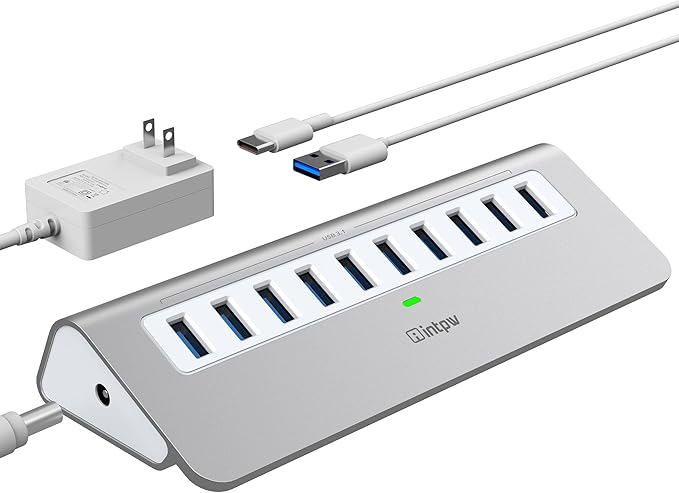
Powered USB Hub, intpw 10 Port USB 3.1 Hub with 10Gbps Data Transfer, 36W(12V/3A) Power Adapter, USB Type A and Type C Cable, Aluminum USB Hub for Laptop, MacBook and Desktop Computer
Couldn't load pickup availability
About This
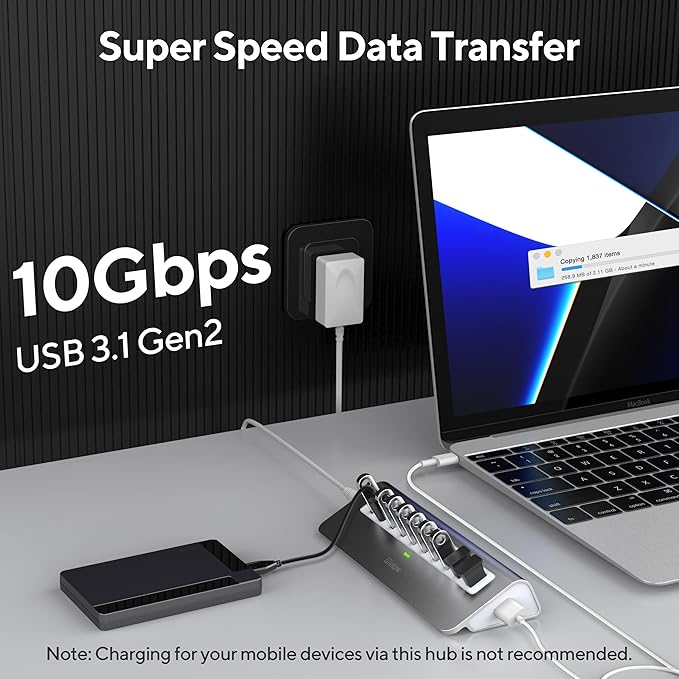
- 10Gbps SuperSpeed Data Transfer: Intpw Powered USB hub equipped with 10 SuperSpeed+ USB 3.1 Gen2 (USB 3.2 Gen 2) ports allows you to transfer files, HD movie in seconds at speeds up to 10Gbps to your desktop or laptop. Twice the theoretical data transfer rate of traditional USB 3.0. Note: It is necessary to use cables that support 10Gbps transmission speed, and the transmission speed can reach 10Gbps. Make sure to connect our power adapter to the USB 3.1 Hub to ensure proper functionality.
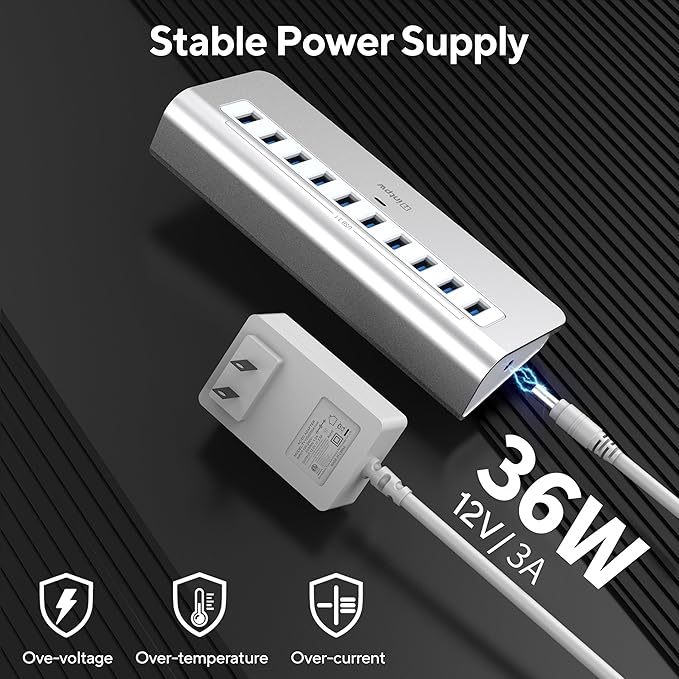
- 30W Stable Power Supply: With a 30W (12V/2.5A) AC power adapter, our USB 3.1 Gen 2 hub ensures a stable data transfer and supplies sufficient power for all connected devices. The USB 3.2 hub can protect your devices from overload, over-voltage, over-current, short circuit and overcharge, ensuring your safety and efficiency with the built-in surge protector design.
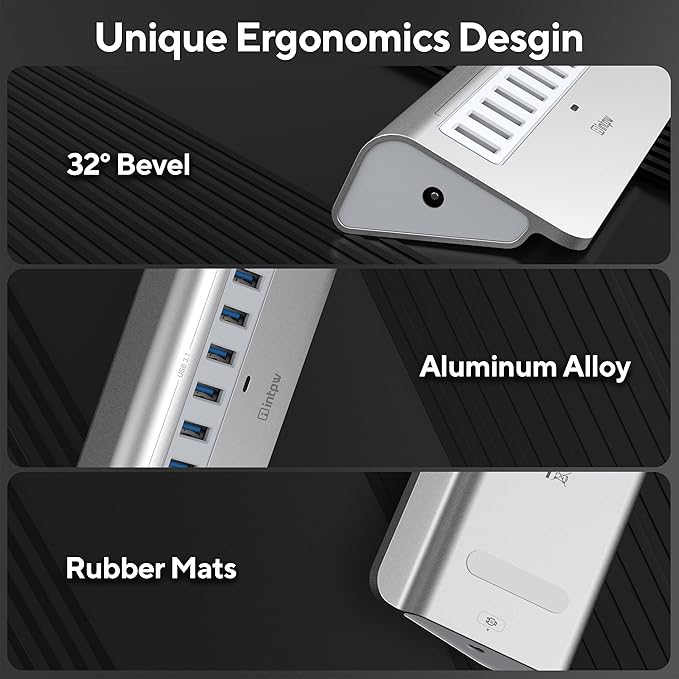
- Aluminum Ergonomics Design: The powered usb c hub with aluminum unibody provides premium protection with a slick look and a better heat dissipation. Temperature control under 45℃, keep the USB hub for pc safe and stable during operation. Ergonomics 32-degree angle, saving more effort when you plug and unplug your USB devices and placing more stability on your desk.
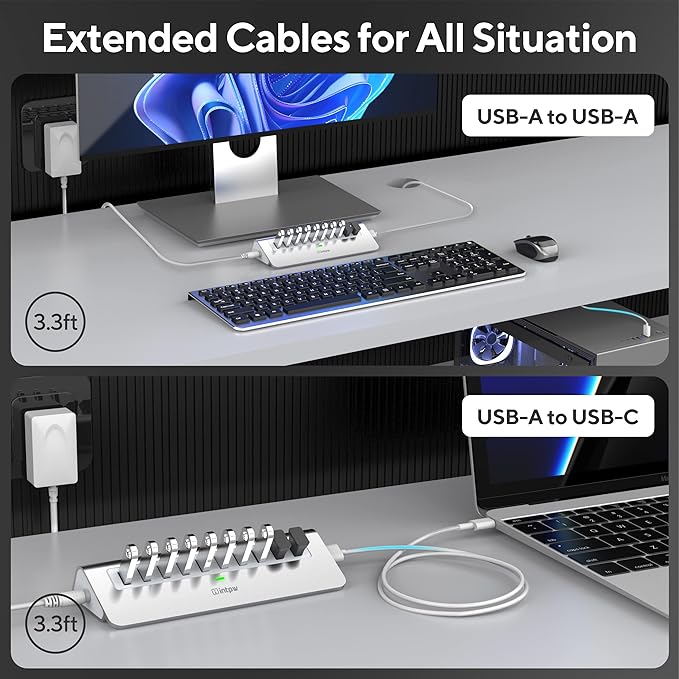
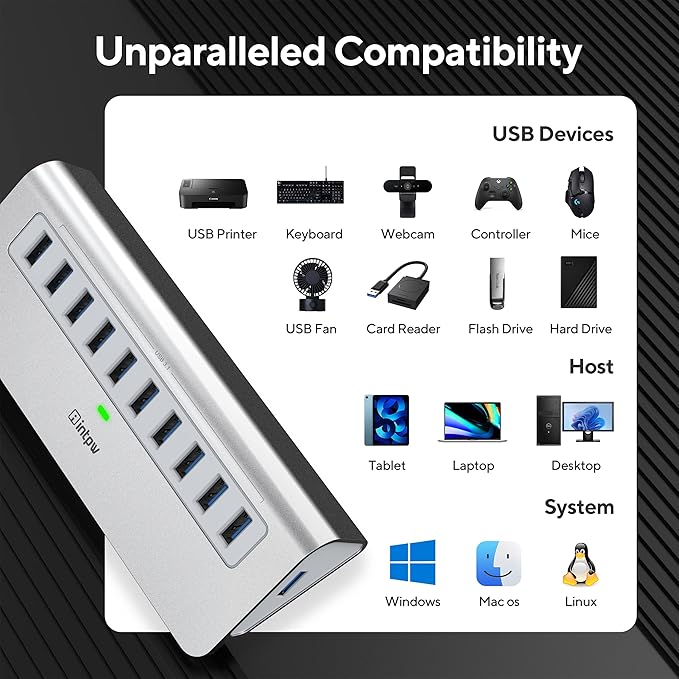
- Universal Compatibility: Intpw USB hub powered including USB A to A and USB A to C cable in the package, compatible with all USB-A/USB-C laptops and desktop, such as M1 Mac mini, MacBook Air/Pro, iMac, XPS, Surface Pro. The 10 port powered USB hub supports hot-swapping, plug-and-play, no drivers needed. System requirements: Supports Windows XP/2000/7/8/10/11, Linux, Mac OS 10.3 or above. USB peripherals: flash drive, external hard drive and card reader etc.
- What You Get: INTPW usb 3.2 hub ensures you with a 12-month pleasant experience, top customer service, worry-free warranty and free replacement if there is any quality issue. Please feel free to let us know if you have any questions about this USB splitter. With the USB port hub, you can get a package including 1 x 30W(20V/2.5A)AC Power Adapter, 1 x 3.3ft USB-A to USB-C cable, 1 x 1 x 3.3ft USB-A to USB-A cable and 1 user manual.
Overview
- Brand : intpw
- Color : 10-IN-1 Grey
- Hardware Interface : USB
- Special Feature : Play, Plug, Powered
- Compatible Devices : Desktops, Laptops, Tablets
Share

Collections
-
Back to School & Study Essentials
Equip students and lifelong learners with stationery, planners, notebooks, and study accessories...
-
Cable Management & Tech Setup
Tame the cables — clips, sleeves, boxes, and organizers that keep cords...
-
Creative & Relax Zone
Balance work with creativity and calm — art supplies, DIY kits, puzzles,...
DeskDen Supplies – Your Everyday Office Essential
Whether you’re working from home, managing a busy office, or studying for success, DeskDen products deliver quality you can rely on.
-
Desk Essentials
Equip your desk with everyday tools — pens, notebooks, planners, folders, and...
-
Digital Accessories
Power your digital setup with keyboards, mice, cables, and chargers designed to...
-
Eco-Friendly Office
Work smarter and greener with recycled stationery, sustainable materials, and eco-conscious office...
-
Home Office Essentials
Create a comfortable, efficient home office with ergonomic accessories, organization tools, and...

Affordable essentials for work, school, or home office
From sturdy notebooks and smooth-glide pens to file organizers and desk accessories, every item is crafted to keep your desk neat and your workflow seamless.
Blog posts
View all-
Top Office Setup Tips: Ergonomics, Tools, and D...
Practical office setup tips focused on ergonomics, tool selection, tech optimization, organization, and daily routines to support comfort and productivity.
Top Office Setup Tips: Ergonomics, Tools, and D...
Practical office setup tips focused on ergonomics, tool selection, tech optimization, organization, and daily routines to support comfort and productivity.
-
How to Build an Efficient and Organized Workspa...
Learn how to create an efficient and organized workspace that enhances productivity through thoughtful selection of essentials, tech setup, organization, decor, and comfort tools.
How to Build an Efficient and Organized Workspa...
Learn how to create an efficient and organized workspace that enhances productivity through thoughtful selection of essentials, tech setup, organization, decor, and comfort tools.
-
Desk Organization Tips for a Clutter-Free Works...
Practical desk organization tips to help you maintain a clutter-free workspace, improving focus and workflow through intentional storage, layout planning, and smart tools.
Desk Organization Tips for a Clutter-Free Works...
Practical desk organization tips to help you maintain a clutter-free workspace, improving focus and workflow through intentional storage, layout planning, and smart tools.