

Shipping takes place within 3-5 business days. If there is a problem with the shipment of the product, we will notify you via the email address you entered when ordering.
AULA
AULA F2088 Typewriter Style Mechanical Gaming Keyboard,Rainbow LED Backlit,Removable Wrist Rest,Media Control Knob,Retro Punk Round Keycaps,USB Wired Computer Keyboard,White
Couldn't load pickup availability
About This
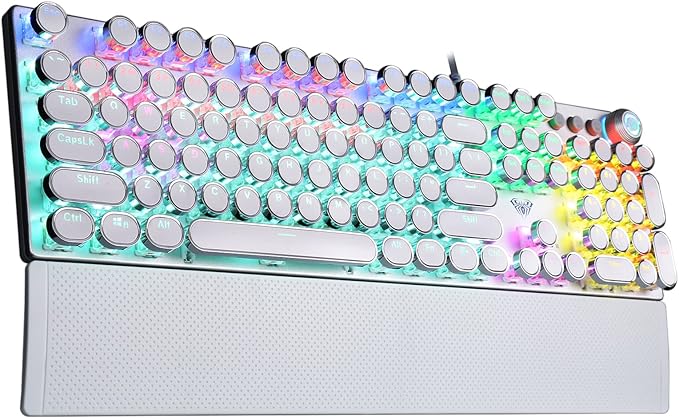
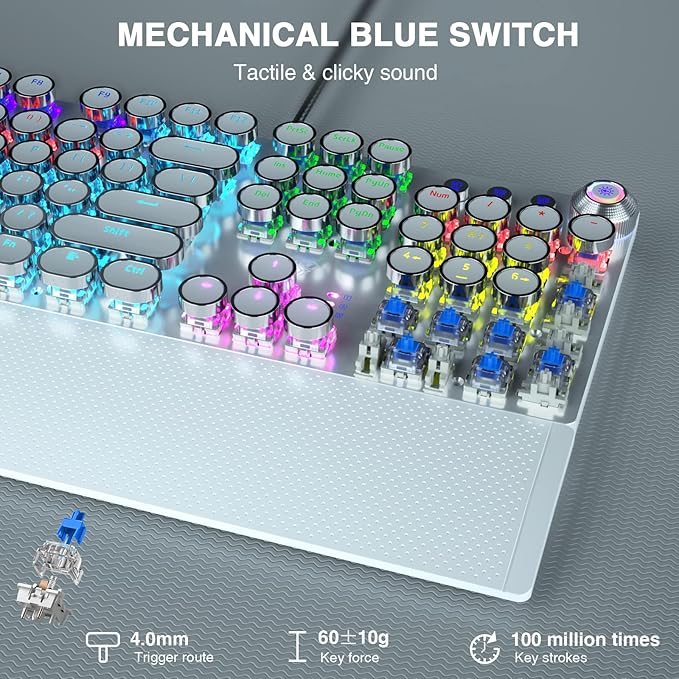
- Retro Typewriter Style Round Keycaps: Mechanical blue switch offers a quicker and springier response, crisp click sound, precise tactile feedback for ultimate gaming performance. Double-shot injection molded vintage steampunk round keycaps for clear backlight and extreme durability. The stepped floating keycap fit your fingertips perfectly for precise positioning, prevent fatigue and wrong typing. Comes with keycap puller for easy keycaps cleaning
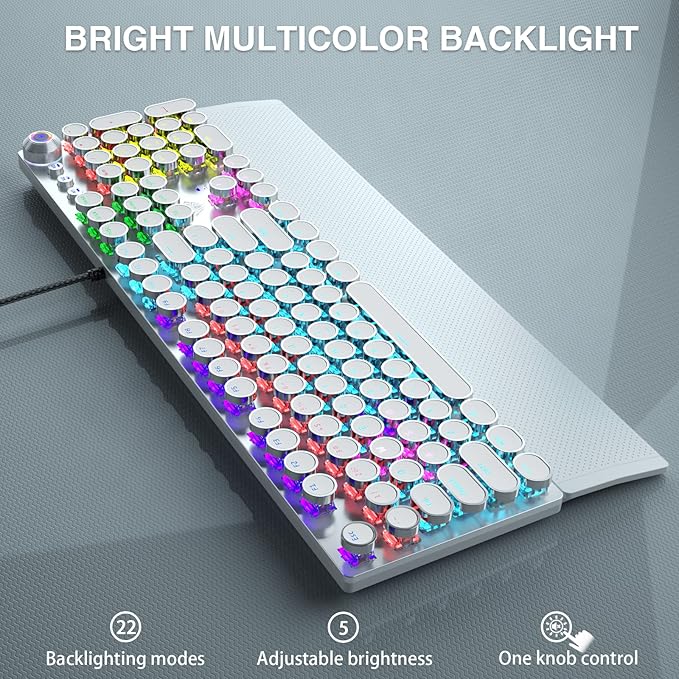
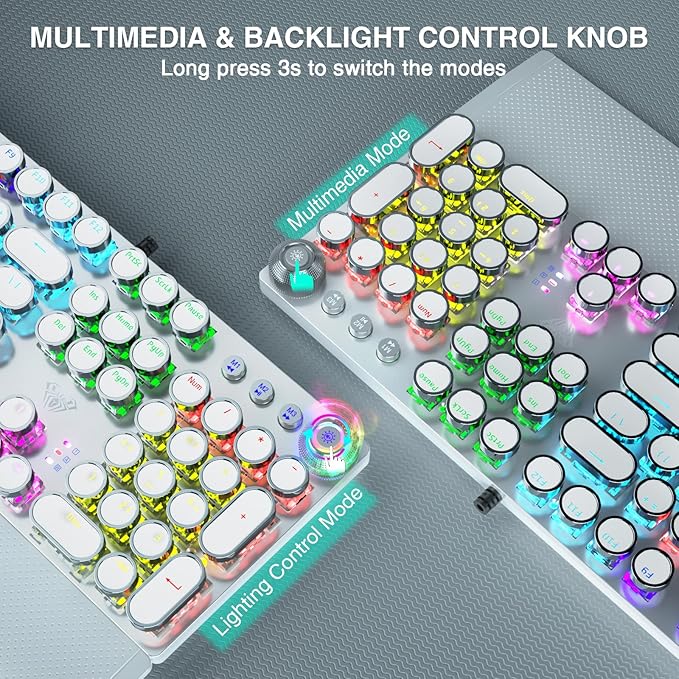
- Multimedia and Backlight Control Knob: This wired mechanical keyboard effortlessly controls media thanks to its dedicated media control keys. Quick-access buttons for media volume, backlight effect, music play, pause, switch. You can switch 19 different lighting effects or adjust the backlit brightness and speed. And you can create 3 customized backlight as you like. Long press knob for three seconds to switch between media and lighting modes
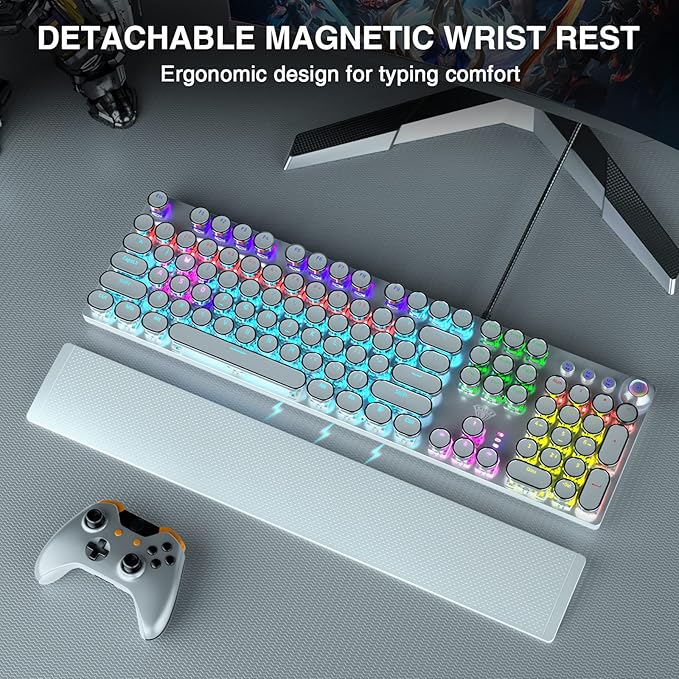
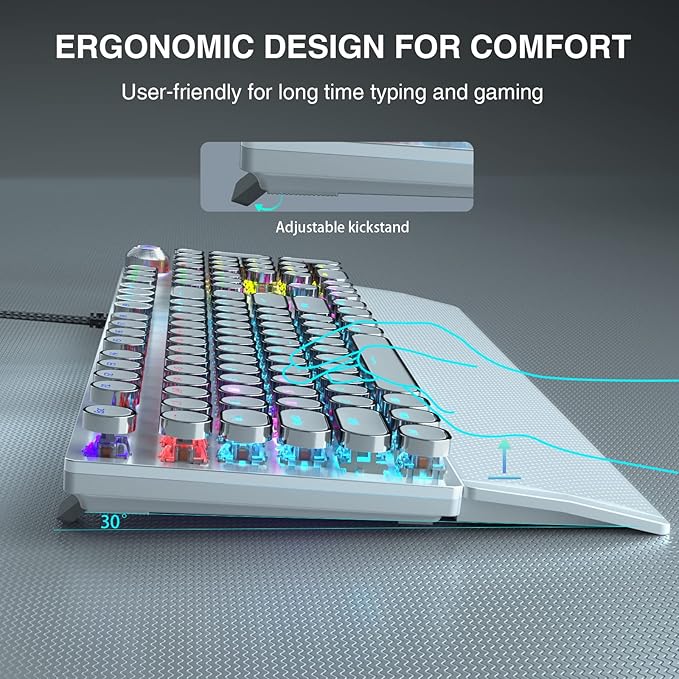
- Metal Panel and Magnetic Wrist Rest: The computer keyboard panel is made of top-grade aluminium alloy material, with matte-finish texture, sturdy and robust enough to protect it from scratch. The ergonomic ABS palm rest provides firm support that alleviates pressure on your wrist from gaming at an elevated angle. The surface has a smooth and comfortable touch that enhances the feeling of the keyboard. USB connector for a reliable connection and ultimate gaming performance
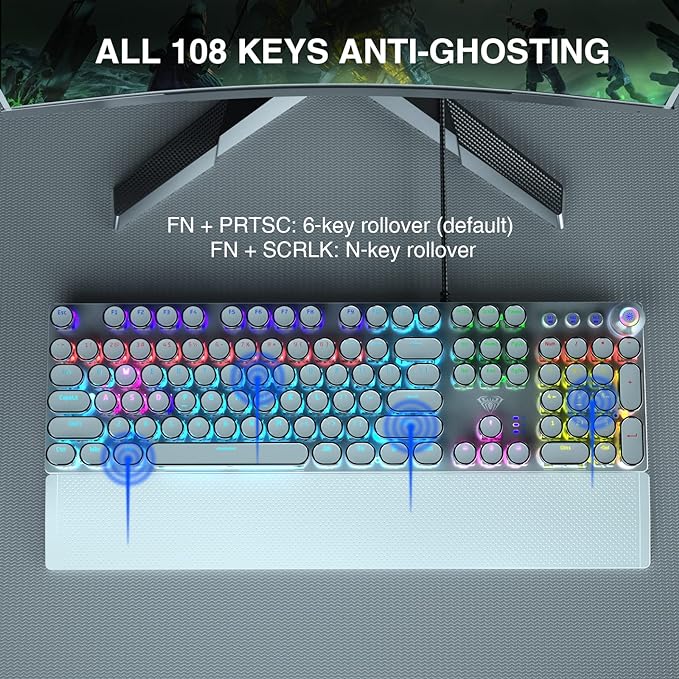
- 104 Keys Anti-Ghosting Programmable: This mechanical gaming keyboard features Anti Ghosting Technology which ensures your simultaneous keystrokes register the way you intended, allow multi-keys to work simultaneously with high speed. Each key is controlled by independent switch, let you enjoy high-grade games with fast response, boosting your performance! The PC Gaming Keyboard has been ergonomically designed to be a superb typing tool for office work as well
- Stylish Durable and Wide Compatibility: Modern and sleek design with superior performance. High low key layout with suspended round key fits fingers effectively, help reduce hand fatigue, aluminum alloy metal panel, matte texture, sturdy and robust, protect it from scratch. Support PC Mac Laptop, Tablet, Desktop computer, suitable for Windows 7/8/10/XP/Vista, Linux and Mac OS systems. USB wired conection, plug and play! No drivers or softwares are required
Overview
- Brand : AULA
- Compatible Devices : Gaming Console
- Connectivity Technology : USB
- Keyboard Description : Typewriter Style Mechanical Keyboard
- Recommended Uses For Product : Business, Education, Everyday Use, Gaming, Multimedia, Personal, Photo Editing, Programming, Student, Video Editing Business, Education, Everyday Use, Gaming, Multimedia, Personal, Photo Editing, Programming, Student, Video Editing
- Special Feature : Backlit, Hotkeys and Media Keys, Round Key, Volume Control Knob, Wrist Rest
- Color : White-blue switches
- Number of Keys : 104
- Keyboard backlighting color support : Single Color
- Style : Retro Typewriter Style
Share

Collections
-
Back to School & Study Essentials
Equip students and lifelong learners with stationery, planners, notebooks, and study accessories...
-
Cable Management & Tech Setup
Tame the cables — clips, sleeves, boxes, and organizers that keep cords...
-
Creative & Relax Zone
Balance work with creativity and calm — art supplies, DIY kits, puzzles,...
DeskDen Supplies – Your Everyday Office Essential
Whether you’re working from home, managing a busy office, or studying for success, DeskDen products deliver quality you can rely on.
-
Desk Essentials
Equip your desk with everyday tools — pens, notebooks, planners, folders, and...
-
Digital Accessories
Power your digital setup with keyboards, mice, cables, and chargers designed to...
-
Eco-Friendly Office
Work smarter and greener with recycled stationery, sustainable materials, and eco-conscious office...
-
Home Office Essentials
Create a comfortable, efficient home office with ergonomic accessories, organization tools, and...
Affordable essentials for work, school, or home office
From sturdy notebooks and smooth-glide pens to file organizers and desk accessories, every item is crafted to keep your desk neat and your workflow seamless.
Blog posts
View all-
Desk Organization Tips for a Clutter-Free Works...
Practical desk organization tips to help you maintain a clutter-free workspace, improving focus and workflow through intentional storage, layout planning, and smart tools.
Desk Organization Tips for a Clutter-Free Works...
Practical desk organization tips to help you maintain a clutter-free workspace, improving focus and workflow through intentional storage, layout planning, and smart tools.
-
How to Design a Productive Home Office Setup
A comprehensive guide to creating a productive home office, focusing on ergonomic layouts, organization strategies, and must-have desk accessories for enhanced focus and comfort.
How to Design a Productive Home Office Setup
A comprehensive guide to creating a productive home office, focusing on ergonomic layouts, organization strategies, and must-have desk accessories for enhanced focus and comfort.
-
Ergonomic Office Essentials: How to Design a He...
A detailed ergonomic guide explaining how to configure your desk and accessories for posture support, reduced strain, and sustained comfort—focusing on chairs, monitor placement, keyboard positioning, and supportive tools.
Ergonomic Office Essentials: How to Design a He...
A detailed ergonomic guide explaining how to configure your desk and accessories for posture support, reduced strain, and sustained comfort—focusing on chairs, monitor placement, keyboard positioning, and supportive tools.