

Shipping takes place within 3-5 business days. If there is a problem with the shipment of the product, we will notify you via the email address you entered when ordering.
Lemorele
Lemorele USB C Docking Station Dual Monitor 10- in-1 Triple Display Laptop Hub Multiport Adapter w/2 HDMI 4K+VGA+3 USB3.0/2.0+TF/SD 2.0+Audio+100W PD, USB C Dongle for Mac/Dell/HP/Lenovo/Surface
Couldn't load pickup availability
About This
- 【USB C Docking Station 10 IN 1】With this docking station,you can easily extending one USB Type C port to dual monitor 2 HDMI, VGA, 1 USB 3.0 & 2 USB 2.0 ports, USB C Power Charging Port (max 100W),SD/Micro SD card readers and 3.5mm Mic/audio. In addition, this thunderbolt dock doesn't need to install any driver, just plug and play, fully meet your daily use
- 【Docking Station Dual Monitor 2 HDMI&VGA】When only the HDMI port is used, supports (MAC OS system and Windows system) the maximum 4k@30Hz on the 4K display. 2. When using two HDMI ports on one 4k/2k display simultaneously, the Mac OS system supports maximum 4k@30hz; Windows systems support maximum 1080p 60Hz. 3. If you only use the VGA port or HDMI and VGA ports, 1080P@60Hz the maximum support. Notices:MacOs laptop only support SST mode, so all external monitor screens will be the same
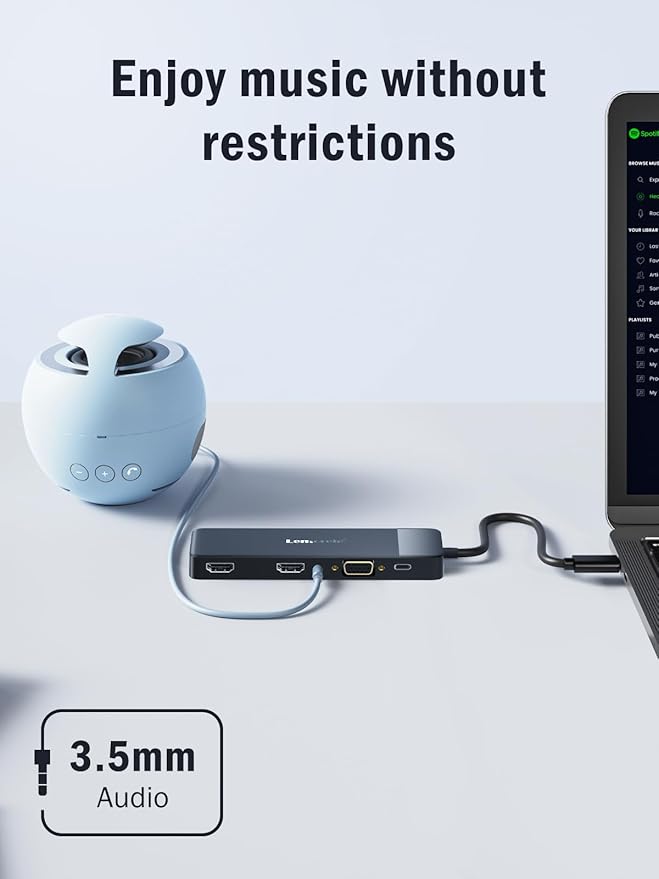
- 【Laptop USB C Docking Station USB 3.0/2.0+SD/TF+3.5MM】This docking station comes with 1 usb 3.0(5Gbps)&2 usb 2.0(480Mbps) ports, allows your conveniently connect keyboard,mouse,usb flash driver, usb c hard disks, and browse photos via SD/TF slots with fast speed up to 104MB/S. Also this usb c dock support Audio&Mic function, allows you to enjoy the wonderful listening enjoyment
- 【USB-C Charging Port--100W PD】This USB C docking station dual monitor supports up to 100W input & 87W(safe)output into your laptop while connecting high power consumption multiple peripherals, worry-free about power storage. Note: please make sure your laptop's USB C port supports power delivery protocol, If a system warning when charging with this docking station usb c hub and please check that the power adapter you are using (not included) is at least 65W
- 【Strong Compatibility(Plug and Play)】This laptop docking station compatible with most Thunderbolt 3 devices(Macbook Pro 2020/2019/2018 /2017/2016,MacBook Air 2020/2019/2018, Dell XPS13/15, compatible for Lenovo Yoga 720/910/920/930,Microsoft Surface Book 2/ Surface Go/ Surface Laptop 3,Dell Latitude 13 7000/Latitude 13 E7370 etc. Important Note: Please confirm which type of USB C port on your laptop is . Please make sure your latop supports DispalyPort Alternate Mode. The incompatible laptops can not use the HDMI/VGA ports
- 【Packing list and Extended mode】Packing list: 1pcs docking station (not include plug), usb c port cable is 7.87in . Notice: When the HUB is connected to two HDMI displays, it supports the mirror mode of AAA and ABB, and the extended mode of ABC when used in WindowsOS. Please set the projection mode in the display settings of the laptop. Since MacOS itself does not support the multi-screen extension mode of MST, connecting two HDMI displays in MacOS supports the mirror mode of AAA and the mirror extension mode of ABB, but does not support the use of ABC three-screen expansion
Overview
- Brand : Lemorele
- Color : Black-TC94
- Hardware Interface : HDMI, USB 2.0, USB 3.0, USB Type C, VGA
- Special Feature : USB C Power Charging, SD/Micro SD Card Readers, 3.5mm Mic/Audio, High Consumption Peripherals Support, Thunderbolt 3 Devices Compatibility, Plug and Play USB C Power Charging, SD/Micro SD Card Readers, 3.5mm Mic/Audio, High Consumption Peripherals Support, Thunderbolt 3 Devices Compatibility, Plug and Play
- Compatible Devices : Smartphones, Laptops, Mouse/Keyboards, Dell/HP/Lenovo/Samsung, MacBook Pro/Air
Share

Collections
-
Back to School & Study Essentials
Equip students and lifelong learners with stationery, planners, notebooks, and study accessories...
-
Cable Management & Tech Setup
Tame the cables — clips, sleeves, boxes, and organizers that keep cords...
-
Creative & Relax Zone
Balance work with creativity and calm — art supplies, DIY kits, puzzles,...
DeskDen Supplies – Your Everyday Office Essential
Whether you’re working from home, managing a busy office, or studying for success, DeskDen products deliver quality you can rely on.
-
Desk Essentials
Equip your desk with everyday tools — pens, notebooks, planners, folders, and...
-
Digital Accessories
Power your digital setup with keyboards, mice, cables, and chargers designed to...
-
Eco-Friendly Office
Work smarter and greener with recycled stationery, sustainable materials, and eco-conscious office...
-
Home Office Essentials
Create a comfortable, efficient home office with ergonomic accessories, organization tools, and...

Affordable essentials for work, school, or home office
From sturdy notebooks and smooth-glide pens to file organizers and desk accessories, every item is crafted to keep your desk neat and your workflow seamless.
Blog posts
View all-
Top Office Setup Tips: Ergonomics, Tools, and D...
Practical office setup tips focused on ergonomics, tool selection, tech optimization, organization, and daily routines to support comfort and productivity.
Top Office Setup Tips: Ergonomics, Tools, and D...
Practical office setup tips focused on ergonomics, tool selection, tech optimization, organization, and daily routines to support comfort and productivity.
-
How to Build an Efficient and Organized Workspa...
Learn how to create an efficient and organized workspace that enhances productivity through thoughtful selection of essentials, tech setup, organization, decor, and comfort tools.
How to Build an Efficient and Organized Workspa...
Learn how to create an efficient and organized workspace that enhances productivity through thoughtful selection of essentials, tech setup, organization, decor, and comfort tools.
-
Desk Organization Tips for a Clutter-Free Works...
Practical desk organization tips to help you maintain a clutter-free workspace, improving focus and workflow through intentional storage, layout planning, and smart tools.
Desk Organization Tips for a Clutter-Free Works...
Practical desk organization tips to help you maintain a clutter-free workspace, improving focus and workflow through intentional storage, layout planning, and smart tools.