

Shipping takes place within 3-5 business days. If there is a problem with the shipment of the product, we will notify you via the email address you entered when ordering.
RedefineYourWorkplace
Yealink MeetingBar A10 Conference Room Webcam 4K 120° Wide Angle Camera with Android OS, Video Conferencing System with Microphone and Speaker, AI Speaker Tracking, Auto Framing, Teams Zoom Certified
Couldn't load pickup availability
About This
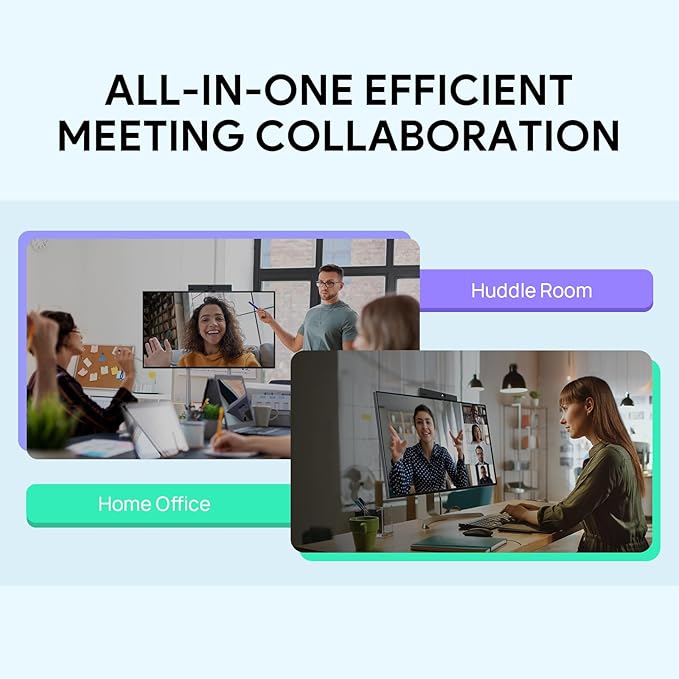
- All-in-One | Smart Video Collaboration➤ Integrating computing unit, camera, microphones, speaker, Bluetooth, Wi-Fi and bracket, A10 takes up less space and minimizing cable clutter. Plugging in power and HDMI cable gets a video conference ready. Based on Android 11.0 OS, A10 owns native Teams or Zoom experience that all features can be operated by just one touch or by the remote controller. ● Content Sharing ● Whiteboard
- Outstanding Video Quality➤ A10 has strong image processing, encoding and decoding capabilities. Featuring 4K camera and 120° lens, everyone in the conference can be seen without adjusting the camera, while also ensuring no redundant surrounding environment included. Moreover, the image brightness can be automatically optimized even in a dim or backlight environment, ensuring the participant faces can be seen clearly.
- Smart Video Conferencing with AI Technology➤ Featuring AI technology, including Auto Framing and Speaker Tracking, A10 not only supports framing the groups automatically according to the number and the position of the participants, but also automatically zoom in the speaker without adjusting the camera, making the participants more focus on the conference. ● Electric Lens Cap: Default off when not in use to ensure privacy.
- Precise Sound Localization | Full-Duplex Experience➤ 8 MEMS microphone arrays make A10 have strong ability of noise proof and dereverberation. The new upgraded beamforming algorithm, together with technology of processing on acoustic echo cancellation and the dereverberation, brings high quality full-duplex call and realizes more precise voice pickup.
- 【Optional - WPP30】Wireless Presentation with Low Latency➤ WPP30 supports wireless presentation and wireless Device Mode, cooperating A10 with Yealink wireless presentation pod WPP30, users can start a meeting anywhere in the conference room. With the Yealink algorithm, WPP30 can maintain a stable wireless connection even in complex network environments and delivers a super clear, speedy and stable presenting experience with low latency.
Overview
- Brand : Yealink
- Photo Sensor Technology : CMOS
- Video Capture Resolution : 4K
- Maximum Aperture : 2 f
- Flash Memory Type : SmartMedia
- Video Capture Format : MP4
- Screen Size : 0.1 Inches
- Connectivity Technology : HDMI
- Color : A10-010
- Special Feature : Al Technologies • Speaker Tracking • Auto Framing • Al Face Enhancement, Audio • Built-in 8 microphone array • Built-in 5W high fidelity speaker • Yealink Noise Proof Technology • Full-duplex • Echo cancellation, Bulit-in Android 11.0 OS, Camera • 8MP Camera with 1/2.8-inch CMOS • 4K 30FPS • 120° FoV • 4x e-PTZ camera, Compatible with most video conferencing UC platform, including but not limited to the following: Microsoft Teams and Skype for Business / Zoom Room / BlueJeans / Google Meet / Cisco Webex / Tencent VooV Meeting / DingTalk / Yealink Meeting / GoToMeeting / Huawei Cloud Welink Al Technologies • Speaker Tracking • Auto Framing • Al Face Enhancement, Audio • Built-in 8 microphone array • Built-in 5W high fidelity speaker • Yealink Noise Proof Technology • Full-duplex • Echo cancellation, Bulit-in Android 11.… See more
Share

Collections
-
Back to School & Study Essentials
Equip students and lifelong learners with stationery, planners, notebooks, and study accessories...
-
Cable Management & Tech Setup
Tame the cables — clips, sleeves, boxes, and organizers that keep cords...
-
Creative & Relax Zone
Balance work with creativity and calm — art supplies, DIY kits, puzzles,...
DeskDen Supplies – Your Everyday Office Essential
Whether you’re working from home, managing a busy office, or studying for success, DeskDen products deliver quality you can rely on.
-
Desk Essentials
Equip your desk with everyday tools — pens, notebooks, planners, folders, and...
-
Digital Accessories
Power your digital setup with keyboards, mice, cables, and chargers designed to...
-
Eco-Friendly Office
Work smarter and greener with recycled stationery, sustainable materials, and eco-conscious office...
-
Home Office Essentials
Create a comfortable, efficient home office with ergonomic accessories, organization tools, and...

Affordable essentials for work, school, or home office
From sturdy notebooks and smooth-glide pens to file organizers and desk accessories, every item is crafted to keep your desk neat and your workflow seamless.
Blog posts
View all-
Desk Organization Tips for a Clutter-Free Works...
Practical desk organization tips to help you maintain a clutter-free workspace, improving focus and workflow through intentional storage, layout planning, and smart tools.
Desk Organization Tips for a Clutter-Free Works...
Practical desk organization tips to help you maintain a clutter-free workspace, improving focus and workflow through intentional storage, layout planning, and smart tools.
-
How to Design a Productive Home Office Setup
A comprehensive guide to creating a productive home office, focusing on ergonomic layouts, organization strategies, and must-have desk accessories for enhanced focus and comfort.
How to Design a Productive Home Office Setup
A comprehensive guide to creating a productive home office, focusing on ergonomic layouts, organization strategies, and must-have desk accessories for enhanced focus and comfort.
-
Ergonomic Office Essentials: How to Design a He...
A detailed ergonomic guide explaining how to configure your desk and accessories for posture support, reduced strain, and sustained comfort—focusing on chairs, monitor placement, keyboard positioning, and supportive tools.
Ergonomic Office Essentials: How to Design a He...
A detailed ergonomic guide explaining how to configure your desk and accessories for posture support, reduced strain, and sustained comfort—focusing on chairs, monitor placement, keyboard positioning, and supportive tools.