

Shipping takes place within 3-5 business days. If there is a problem with the shipment of the product, we will notify you via the email address you entered when ordering.
ProtoArc
ProtoArc Wireless Trackball Mouse, EM01 NL Ergonomic Bluetooth Rollerball Thumb Rechargeable Computer Laptop Mouse, Adjustable Angle & 3 Device Connection for PC, Mac, Windows-Silver Ball
Couldn't load pickup availability
About This
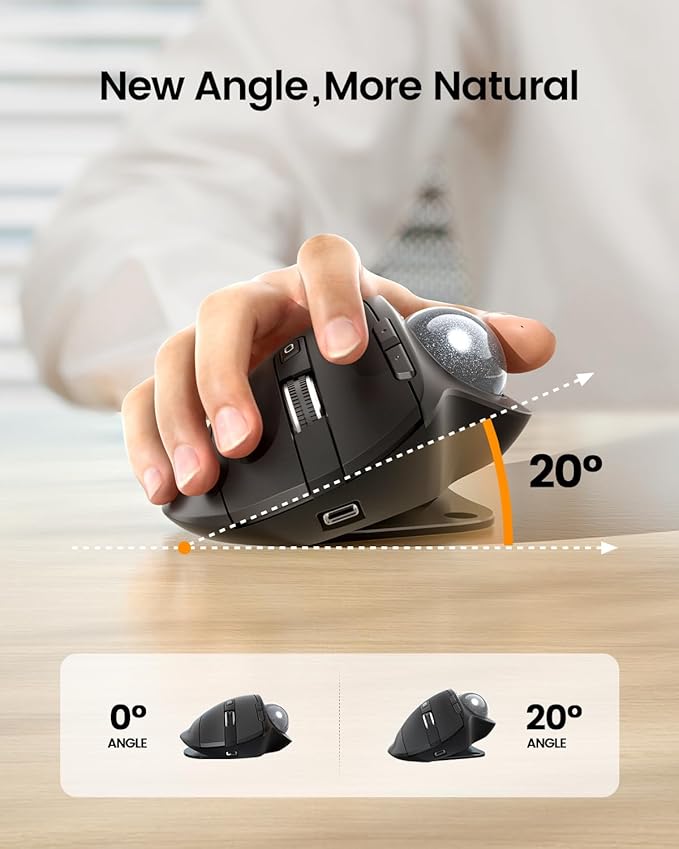
- Ergonomic Design for More Comfort: Unique adjustable hinge allows you to customize the trackball angle from 0 to 20 degrees according to your needs, ensuring a more natural, comfortable hand position for all-day comfort
- Precise Thumb Mouse: ProtoArc trackball mouse provides accurate and smooth tracking, allowing for easy navigation through documents and web pages. You no longer need to move your arm for the movement of the cursor. Your thumb will control the cursor instead via the trackball. It will effectively reduce fatigue and strain on your wrist and arm. More productive in the narrow space, such as the messy desktop, couch, bed etc
- Bluetooth & 2.4 G Wireless Connection: PLUG and PLAY. This trackball mouse has triple connection modes. You can control three devices at the same time, switch freely between PC, laptop and iPad with just one button to improve your efficiency. Compatible with Windows, Android, Mac OS PC Laptop Desktop etc
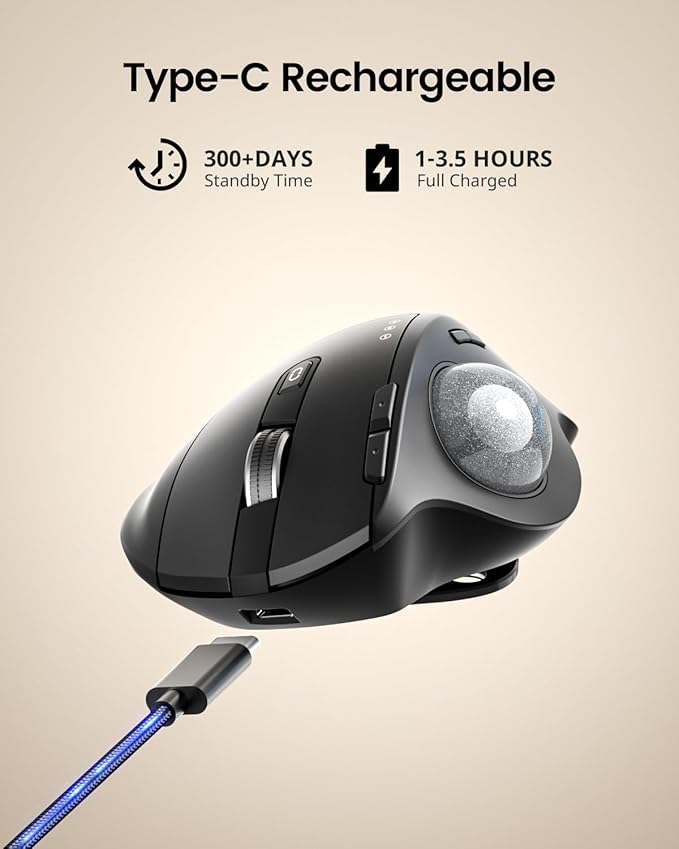
- Rechargeable & Adjustable DPI: The bluetooth Trackball Mouse built-in rechargeable lithium battery. No need to change batteries. Please remember to turn it off if you do not use it for a long time. 5 DPI levels (200/400/800/1200/1600) allows you to change the cursor sensitivity easily and track more smoothly
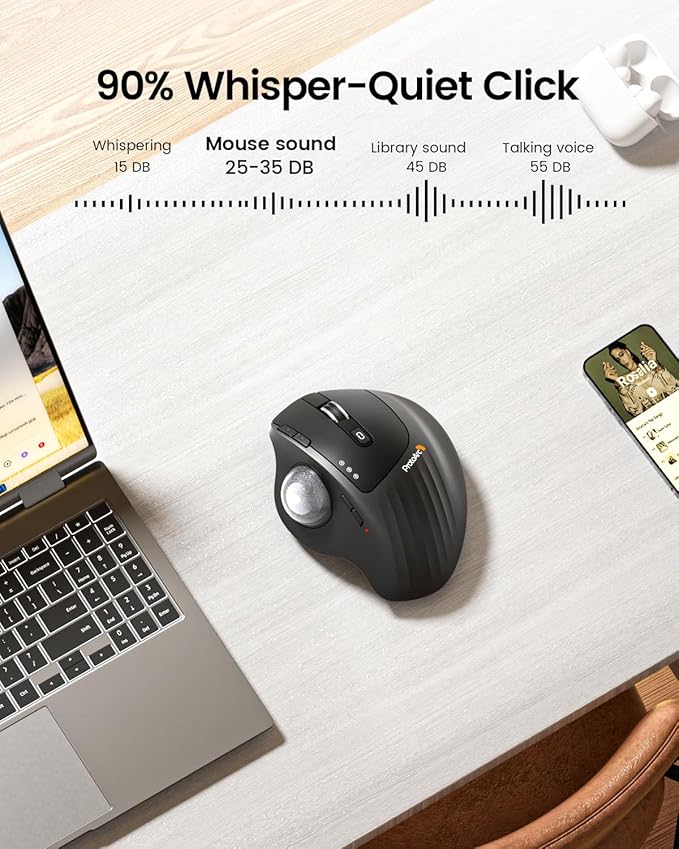
- Quiet Clicking: Smooth frosted surface and quiet clicks can bring a better user experience and free your worry about bothering others and keep you stay focused while working. Note: The middle scroll wheel is not silent. All the buttons are non-programmable and the back forward buttons are not compatible with Mac OS system
- After using the trackball for a period of time, please clean the trackball and the three white rollers inside the hole to ensure that the trackball is always smooth. Note: When the computer is just started or a large application is running, it may also cause the trackball to not run smoothly
- Warm Tips: Since it takes a learning curve to get used to the control method when using our trackball mouse for the first time, it may cause inconvenience to your mouse grip, you can experiment with different hand positions to find what is most comfortable for you. We recommend that you take 1-2 weeks to get used to it, as many users find that it will help reduce the pressure and pain on your wrist caused by long-term use of the mouse and improve comfort
Overview
- Brand : ProtoArc
- Color : Silver Ball
- Connectivity Technology : 2.4G Wireless, Bluetooth
- Special Feature : Adjustable Angle, Ergonomic Design, Quiet, Rechargeable, Wireless
- Movement Detection Technology : Trackball
Share

Collections
-
Back to School & Study Essentials
Equip students and lifelong learners with stationery, planners, notebooks, and study accessories...
-
Cable Management & Tech Setup
Tame the cables — clips, sleeves, boxes, and organizers that keep cords...
-
Creative & Relax Zone
Balance work with creativity and calm — art supplies, DIY kits, puzzles,...
DeskDen Supplies – Your Everyday Office Essential
Whether you’re working from home, managing a busy office, or studying for success, DeskDen products deliver quality you can rely on.
-
Desk Essentials
Equip your desk with everyday tools — pens, notebooks, planners, folders, and...
-
Digital Accessories
Power your digital setup with keyboards, mice, cables, and chargers designed to...
-
Eco-Friendly Office
Work smarter and greener with recycled stationery, sustainable materials, and eco-conscious office...
-
Home Office Essentials
Create a comfortable, efficient home office with ergonomic accessories, organization tools, and...

Affordable essentials for work, school, or home office
From sturdy notebooks and smooth-glide pens to file organizers and desk accessories, every item is crafted to keep your desk neat and your workflow seamless.
Blog posts
View all-
Top Office Setup Tips: Ergonomics, Tools, and D...
Practical office setup tips focused on ergonomics, tool selection, tech optimization, organization, and daily routines to support comfort and productivity.
Top Office Setup Tips: Ergonomics, Tools, and D...
Practical office setup tips focused on ergonomics, tool selection, tech optimization, organization, and daily routines to support comfort and productivity.
-
How to Build an Efficient and Organized Workspa...
Learn how to create an efficient and organized workspace that enhances productivity through thoughtful selection of essentials, tech setup, organization, decor, and comfort tools.
How to Build an Efficient and Organized Workspa...
Learn how to create an efficient and organized workspace that enhances productivity through thoughtful selection of essentials, tech setup, organization, decor, and comfort tools.
-
Desk Organization Tips for a Clutter-Free Works...
Practical desk organization tips to help you maintain a clutter-free workspace, improving focus and workflow through intentional storage, layout planning, and smart tools.
Desk Organization Tips for a Clutter-Free Works...
Practical desk organization tips to help you maintain a clutter-free workspace, improving focus and workflow through intentional storage, layout planning, and smart tools.