

Shipping takes place within 3-5 business days. If there is a problem with the shipment of the product, we will notify you via the email address you entered when ordering.
LEOBOG
x Aula F75 MAX Wireless Gaming Keyboard w/Smart Display & Knob,75% Hot Swappable Custom Mechanical Keyboard, RGB Backlit,Pre-lubed Linear Switches,Side Printed PBT Topographic Keycaps(Grey)
Couldn't load pickup availability
About This
- F75 MAX Mechanical Keyboard - Smart Control Meets Personalized Flair: Glance effortlessly at the vibrant Smart TFT Display to track real-time battery levels, connection/system status and date/time. Transform the screen into your creative canvas by uploading custom animated GIFs to infuse personality into your workspace/gaming. The aluminum alloy knob delivers precision control— easy and fast to adjust RGB lighting effects/speed/brightness, system volume and more
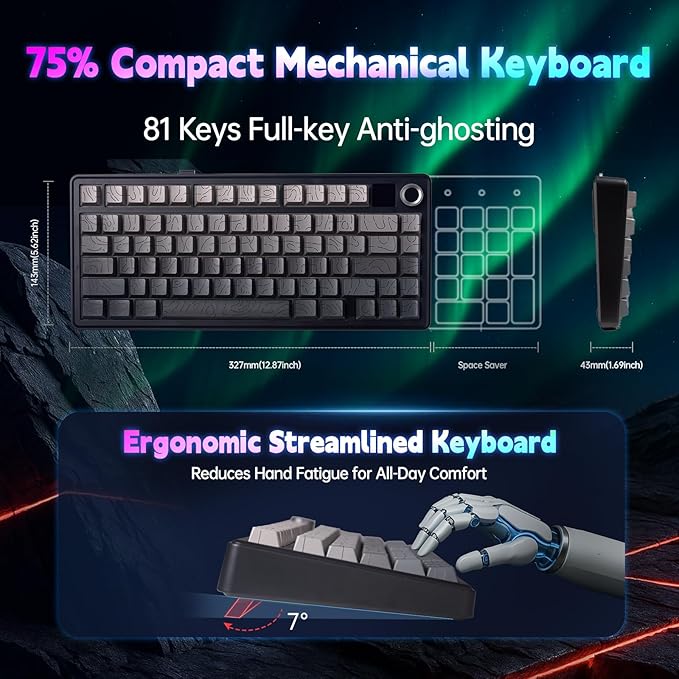
- Gaming Keyboard 75 percent: the 75% compact layout pairs space efficiency with a colossal 4000mAh rechargeable battery. Smart power management activates auto-sleep mode after 60 seconds of inactivity, while maintaining instant responsiveness: tap any key to resume work or gaming without delays
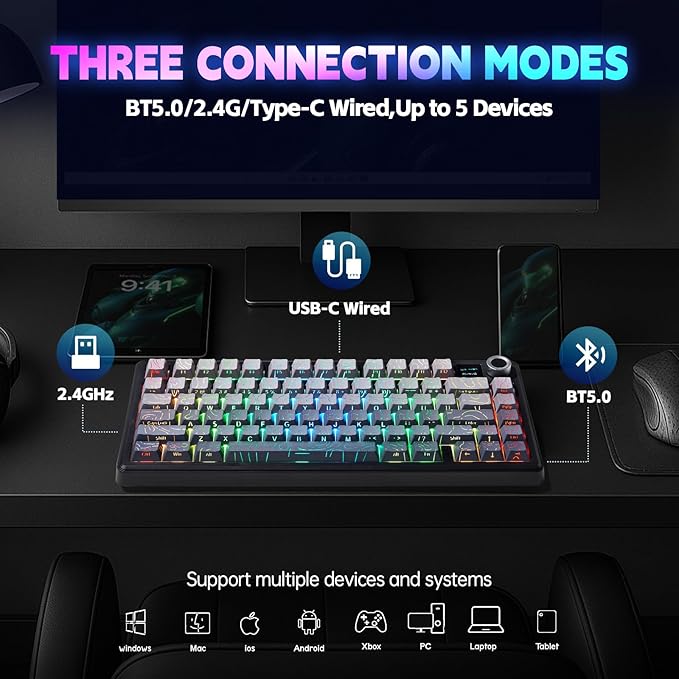
- Tri-Mode Wireless Mechanical Keyboard: Seamlessly switch between Bluetooth (3 devices), ultra-responsive 2.4GHz wireless, and USB-C wired modes. Cross-platform compatibility with WIN XP/7/8/10, MAC/Android/iOS lets you control PCs, tablets, and phones simultaneously. Swap devices instantly via key combinations
- Elevate every tap with the PBT keycaps of LEOBOG X Aula F75 MAX Gaming Keyboard – their texture resists shine and fingerprints while delivering cloud-like comfort. Side-legend printing ensures lasting visibility, paired with transparent topographic line and south-facing LEDs - shimmering hues radiate between keycaps while legends glow with crisp intensity
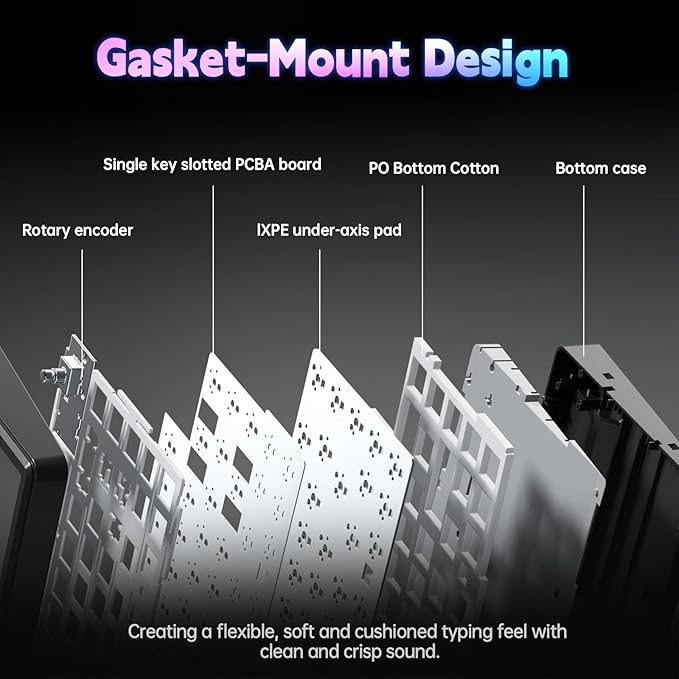
- Creamy Keyboard with Gasket structure: Experience typing nirvana with a cushioning gasket structure that eliminates ping. Paired with smooth LEOBOG Reaper Linear Switches, each keystroke delivers creamy tactile feedback and a signature creamy sound loved by enthusiasts
- Hot-Swappable Mechanical Keyboard: Keyboard enthusiasts rejoice! The premium hot-swap socket design allows effortless switch replacements without soldering. Experiment with different tactile feels or upgrade components to future-proof your investment
- Advanced Custom Keyboard: program macros, assign shortcuts, or custom lighting patterns via user-friendly customization driver software(only support Windows system in wired mode). Choose from 16.8 million RGB color options and create dynamic lighting profiles that sync with your workflow or gaming sessions
- Topographic Keyboard with Grey Gradient Keycaps: Command attention with a stealthy two-tone gray-black finish that complements any desk setup. Combined with the glowing TFT screen and metallic control knob, this keyboard delivers a sci-fi-ready look that balances professionalism and gamer flair
Overview
- Brand : LEOBOG
- Compatible Devices : Gaming Console, Laptop, PC, Smartphone, Tablet
- Connectivity Technology : 2.4GHz, Bluetooth, USB-C
- Keyboard Description : Gaming
- Recommended Uses For Product : Everyday Use, Gaming, Personal, Student, Video Editing
- Special Feature : Backlit, Hot-Swappable, Integrated Stand, Programmable Keys, Volume Roller
- Color : Grey Gradient
- Number of Keys : 80
- Keyboard backlighting color support : RGB
- Style : Contemporary
Share

Collections
-
Back to School & Study Essentials
Equip students and lifelong learners with stationery, planners, notebooks, and study accessories...
-
Cable Management & Tech Setup
Tame the cables — clips, sleeves, boxes, and organizers that keep cords...
-
Creative & Relax Zone
Balance work with creativity and calm — art supplies, DIY kits, puzzles,...
DeskDen Supplies – Your Everyday Office Essential
Whether you’re working from home, managing a busy office, or studying for success, DeskDen products deliver quality you can rely on.
-
Desk Essentials
Equip your desk with everyday tools — pens, notebooks, planners, folders, and...
-
Digital Accessories
Power your digital setup with keyboards, mice, cables, and chargers designed to...
-
Eco-Friendly Office
Work smarter and greener with recycled stationery, sustainable materials, and eco-conscious office...
-
Home Office Essentials
Create a comfortable, efficient home office with ergonomic accessories, organization tools, and...
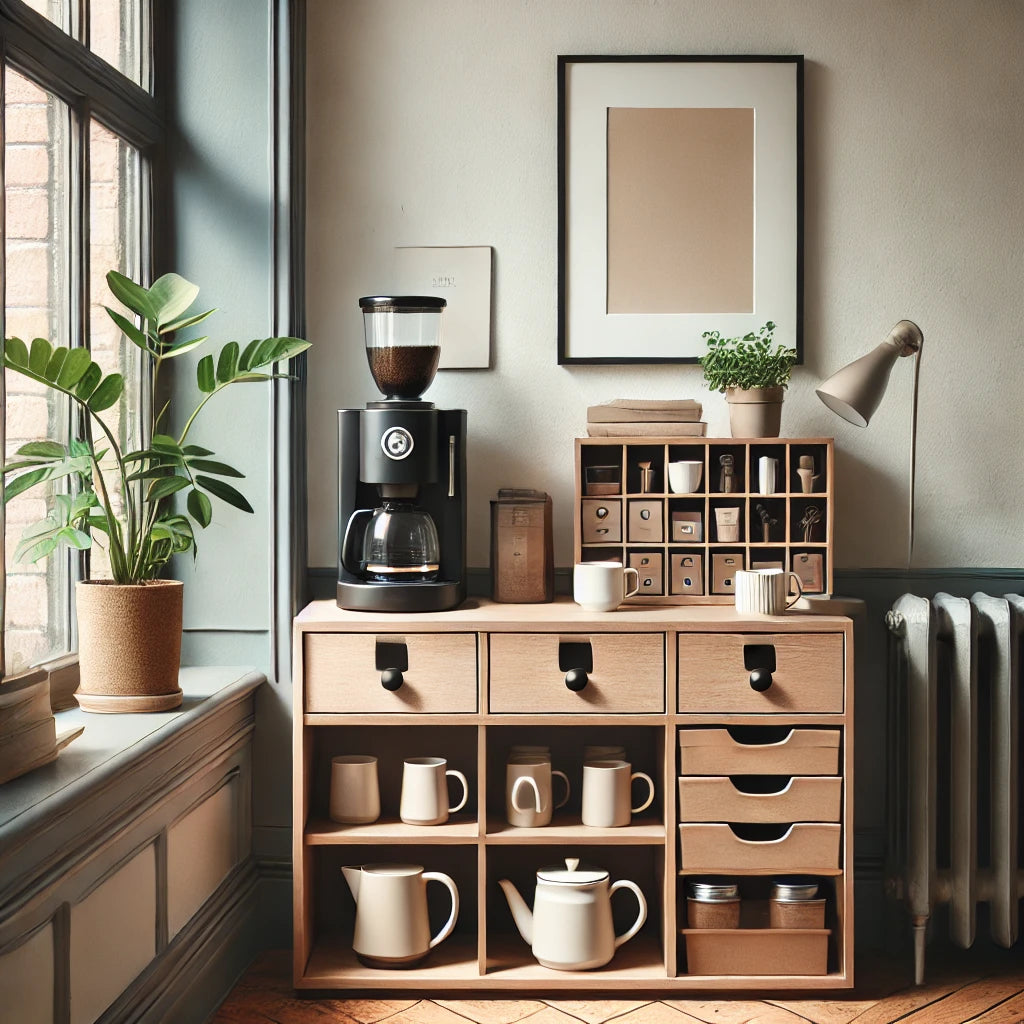
Affordable essentials for work, school, or home office
From sturdy notebooks and smooth-glide pens to file organizers and desk accessories, every item is crafted to keep your desk neat and your workflow seamless.
Blog posts
View all-
Desk Organization Tips for a Clutter-Free Works...
Practical desk organization tips to help you maintain a clutter-free workspace, improving focus and workflow through intentional storage, layout planning, and smart tools.
Desk Organization Tips for a Clutter-Free Works...
Practical desk organization tips to help you maintain a clutter-free workspace, improving focus and workflow through intentional storage, layout planning, and smart tools.
-
How to Design a Productive Home Office Setup
A comprehensive guide to creating a productive home office, focusing on ergonomic layouts, organization strategies, and must-have desk accessories for enhanced focus and comfort.
How to Design a Productive Home Office Setup
A comprehensive guide to creating a productive home office, focusing on ergonomic layouts, organization strategies, and must-have desk accessories for enhanced focus and comfort.
-
Ergonomic Office Essentials: How to Design a He...
A detailed ergonomic guide explaining how to configure your desk and accessories for posture support, reduced strain, and sustained comfort—focusing on chairs, monitor placement, keyboard positioning, and supportive tools.
Ergonomic Office Essentials: How to Design a He...
A detailed ergonomic guide explaining how to configure your desk and accessories for posture support, reduced strain, and sustained comfort—focusing on chairs, monitor placement, keyboard positioning, and supportive tools.